
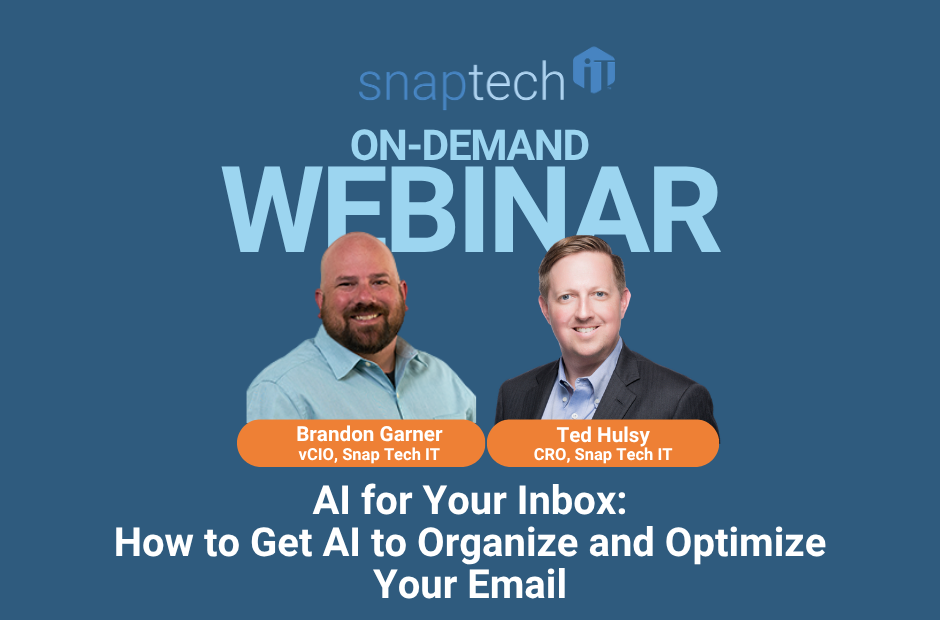
AI for Your Inbox: How to Get AI to Organize and Optimize Your Email
Email inboxes can often be a time drain. Lack of message prioritization, and volume of messages can bury important customer requests in the middle of newsletters, notifications, automated alerts, meeting updates, and hundreds of other messages. The real need for AI in your inbox isn’t just to help you draft another email. It’s in helping to determine what deserves your attention in the first place.
That shift can turn AI email management from a convenient feature into a meaningful business productivity tool.
How can AI help manage your email inbox?
Think of AI as an additional intelligence layer between you and your inbox.
Instead of opening messages one by one, AI can help classify what came in, identify urgent requests, summarize conversations, surface unanswered questions, and highlight work requiring action.
That matters because the goal shouldn’t be reaching “inbox zero.” The goal is making sure the right work gets done and for important communication to get addressed in a timely fashion.
Can AI organize your Outlook inbox automatically?
Yes—and one of the smartest approaches is letting AI help build traditional automation that keeps working without AI. Moving from generating a request with AI each time you need something accomplished to creating automated rules with your inbox means you don’t have to wait for AI to analyze, and execute each time which will help speed up the process of keeping your inbox sorted.
For example, AI can identify repetitive newsletters, ticket notifications, system alerts, or marketing messages and recommend Outlook rules to organize them automatically.
That’s an important distinction. You don’t necessarily want an AI model repeatedly analyzing the same predictable clutter. Use AI to identify the pattern, then let a standard rule handle the repetitive work.
Microsoft now supports using Copilot to create and manage Outlook rules with natural-language instructions.
Can AI identify which emails actually need your attention?
This is where email becomes more interesting.
If you take some time to prompt in Claude Code, you could build a dashboard that reports to you what’s going on in your inbox instead of you having to review, sort and prioritize the messages in your overflowing inbox.
If you want to build a dashboard, you could start with these goals:
What needs my attention? What do I owe someone? Who owes me something?
Those questions are far more useful to a business leader than “Which emails are unread?”
AI can analyze conversations for deadlines, unanswered requests, commitments, and context, helping you find the handful of messages that could affect a customer, project, or decision.
How can AI help track commitments and follow-ups?
Email contains thousands of informal commitments:
“I’ll send that tomorrow.”
“Let me check and get back to you.”
“We’ll have that ready next week.”
Those promises rarely make it into a formal task-management system.
AI can help spot them and create a clearer picture of outstanding commitments. It can also find the reverse: requests you’ve made where you’re still waiting for a response.
That makes your inbox less of an archive and more of an accountability system.
Can AI use email to help you prepare for meetings and your day?
Email becomes significantly more valuable when AI can connect email content with calendars, meeting information, documents, and other business context.
Instead of spending 20 minutes searching for the latest conversation before a meeting, you can ask AI to identify open items, recent discussions, unresolved decisions, and recommended agenda topics.
The same idea can create a morning continuity brief showing yesterday’s unfinished work, today’s priorities, commitments, deadlines, and risks.
Is it safe to let AI manage business email?
Convenience shouldn’t outrun governance.
Start by considering permissions. Does the AI need read access, or does it really need permission to send, delete, or modify information?
For many use cases, read-only access provides substantial value while reducing risk. Human confirmation also makes sense before taking important actions.
Also remember: AI can misunderstand context. Treat it as a tool for surfacing information and recommendations—not an unquestioned authority.
Stop managing email. Start managing attention.
The biggest productivity gain from AI is not in drafting emails faster. It’s in spending less time sorting digital noise and more time acting on what matters.
Start small: remove predictable clutter, surface important messages, track commitments, and build from there.
If your organization wants to make AI email management—and other practical AI workflows—part of a secure, productive business strategy, schedule a call with Snap Tech IT. We’ll help you identify where AI can save meaningful time without creating new security, governance, or technology headaches.
Watch the full webinar here:

Nathan Caldwell
Marketing, Snap Tech IT