
How Claude AI Can Transform Business Productivity
Most businesses do not have a shortage of work. They have a shortage of time spent making their work more efficient.
Employees spend hours condensing reports, organizing files, updating presentations, formatting documents and moving information between systems. And they never have the time to rethink or reinvent their process to make it more efficient. Claude AI has become really powerful and efficient at understanding processes and requests so it can start taking over stages of work and reducing that administrative burden, fast. This allows teams to contemplate more complex assignments further down the road—not by replacing human expertise, but by giving people a stronger AI assistant.
What Is Claude AI Used for in Business?
Claude can assist with writing, research, data analysis, document creation and workflow automation. Its business value increases when it has access to the information and tools employees already use.
Projects can provide focused context for a specific initiative, while integrations and connectors can bring information from documents, email, calendars and other workplace systems into a conversation. Claude also supports persistent work context through features such as memory, skills and productivity plugins.
For business leaders, the objective should not be to adopt every feature immediately. Start with a crawl-walk-run approach: improve individual tasks, connect relevant business data and then automate repeatable workflows.
How Can Claude Save Employees Time?
One of Claude’s most practical uses is converting large amounts of information into something immediately useful.
For example, a lengthy cybersecurity risk assessment can become a concise executive summary highlighting the most important exposures and recommended projects. The same report could be converted into a spreadsheet that prioritizes risks, explains potential business impacts and estimates the cost of an incident.
The result still requires professional review. However, instead of beginning with a blank page, an employee may begin with a draft that is already substantially complete.
Can Claude Work with Microsoft 365?
Claude can support workflows involving Microsoft Word, Excel and PowerPoint. Anthropic has also made Claude models available within parts of Microsoft 365 Copilot, including research and spreadsheet experiences.
This opens several useful possibilities. A team could condense a report in Word, analyze its findings in Excel and transform the key points into a PowerPoint presentation without repeatedly rebuilding the content.
That ability to work within familiar business applications makes AI easier to incorporate into existing processes.
What Can Claude Cowork Automate?
Claude Cowork moves beyond answering questions. It can work with approved files and projects to complete multistep assignments, while allowing users to review its actions and redirect the work.
Consider a folder filled with poorly named screenshots. Cowork can examine the images, rename the files according to their contents and organize them into folders by topic and date. Similar workflows could be applied to receipts, invoices, research materials or project documents.
Businesses can also turn recurring checklists into more interactive workflows with assigned owners, calculated due dates and approval points.
Can Claude Create Business Documents and Presentations?
Claude can turn an existing document or presentation into a strong first draft for a new purpose.
A previous webinar deck, for instance, could be updated for a different topic while preserving its general structure and branding. A collection of interview transcripts could become the foundation for a buyer’s guide or white paper.
The best model is often human, AI, human: an employee supplies the expertise and direction, Claude accelerates the draft, and a qualified person reviews the final product. How Can Claude Artifacts Turn Ideas Into Interactive Business Tools?
Claude Artifacts are reusable outputs that can go beyond ordinary text responses. Utilizing Claude to review your a company process, then asking Claude to interview you on building automations throughout the process. Claude can go from a manual checklist to create an interactive workflow tool with assigned owners, calculated due dates, approval steps and automated reminders. Rather than managing the process through a static spreadsheet, the team could continue refining the Artifact through conversation with Claude, adding logic and automation as requirements became clearer. This makes
Artifacts are especially useful for project management, recurring operational processes and complex checklists that multiple employees need to follow.
Is Claude AI Secure for Business Use?
Organizations should evaluate AI through the same cybersecurity, privacy and governance lens they apply to other business systems.
Consumer and business accounts may have different data protections, administrative controls and ownership structures. Anthropic states that prompts and outputs from its enterprise offering are not used to train its models by default, and its Team and Enterprise resources include additional administration, retention and compliance options.
Before deployment, establish rules covering approved accounts, confidential information, human review and access permissions.
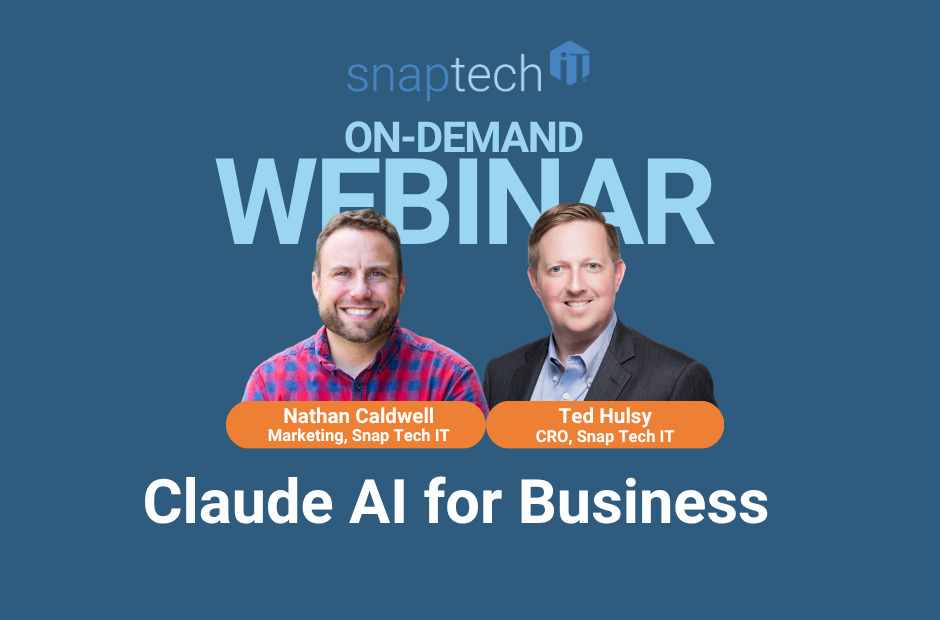
Claude’s real promise is not simply producing content faster. It is reducing the routine work that prevents talented employees from focusing on customers, decisions and growth. The webinar examples behind this article demonstrate how reporting, file organization, presentations, creative production and recurring processes can all be accelerated with thoughtful human oversight.
Curious to Learn How AI Could Make Your Organization More Efficient?
Schedule a call with Snap Tech IT to discuss where Claude AI could safely improve productivity in your organization—and how to build a practical adoption plan around your people, data and cybersecurity requirements.
Watch the full webinar here:

Nathan Caldwell
Marketing, Snap Tech IT