
Google Gemini for Business: Practical Ways to Turn AI Into Everyday Productivity
AI is useful when it helps employees complete real work faster. For organizations using Google Workspace, Google Gemini has powerful functionality.
Gemini can help employees organize meetings, search company information, work with complex documents, build training materials, and complete routine tasks using natural-language instructions. While Gemini can save time, and can do some cool and interesting things, there are still some accuracy errors to watch out for. Just like all AI, employees still need to review its work.
Here are 5 key ways to get the most out of Google Gemini.
1. Use Gemini to Reduce Meeting Follow-Up
Meetings create more work than the conversation itself. Someone has to take notes, capture decisions, document action items, and share a recap with people who could not attend.
Gemini can help automate much of that process inside Google Meet. A meeting can be recorded, transcribed, and summarized into a Google Doc. Teams can then review the recap, search the transcript, confirm decisions, and identify next steps without relying on one person’s handwritten notes.
This can also change how companies think about attendance. A meeting may still move forward when someone is unavailable because that person can review the recording, transcript, and AI-generated notes afterward.
For business leaders, that means less time spent recreating conversations and more confidence that important details are preserved.
2. Turn Company Content Into Training Materials
Gemini Notebook, previously known as NotebookLM, gives businesses another way to use existing information.
Employees can upload PDFs, research reports, white papers, videos, and files from Google Drive. Gemini Notebook can then use those sources to create an audio discussion, quiz, flashcards, study materials, or a mind map.
The business applications are easy to see. A company could use its onboarding documents to create an audio overview of its core values, service model, or operating procedures. A sales team could turn a book, research package, or product guide into a discussion employees can listen to while commuting. A team preparing for a certification could create quizzes from its study materials.
This does not replace the original content. It makes that content easier to absorb in different formats.
3. Build Focused AI Assistants With Gems
One of the biggest concerns with generative AI is that it can provide an answer based on information that is too broad, unrelated, or inaccurate.
Google Gems can help narrow the scope.
A Gem is a customized version of Gemini created for a specific task. A business can give it instructions and attach approved documents that define what information it should use.
For example, a company could create an employee handbook assistant. Employees could ask questions about policies, time off, workplace expectations, or procedures. The Gem could be instructed to answer only from the approved handbook and refuse unrelated questions.
The same approach could support sales enablement, internal IT documentation, service information, compliance procedures, or research projects. The value comes from grounding the AI in a controlled set of relevant materials instead of asking it to pull from a much wider pool of information.
4. Use Gemini Where Employees Already Work
Gemini is also becoming easier to access throughout the Google environment.
Inside Chrome, employees can ask Gemini questions about the webpage they are viewing. That could help someone understand a complicated software screen, review a webpage, or identify possible improvements without leaving the browser.
Inside Google Drive, employees can ask questions about a file or upload a document into Gemini for analysis. Because Gemini can work with multiple types of content, it can interpret text, images, and PDFs and then produce something new from that information.
On mobile devices, Gemini Live allows users to speak naturally to the assistant. An employee might ask it to create a calendar event, find contact information, or help organize a list of tasks.
These capabilities are useful because they fit into existing workflows instead of forcing employees to start from scratch in a separate system.
5. Review AI Output Before Acting
Here’s an important limitation of all AI and Google’s no different: Gemini does not always complete a task exactly as requested.
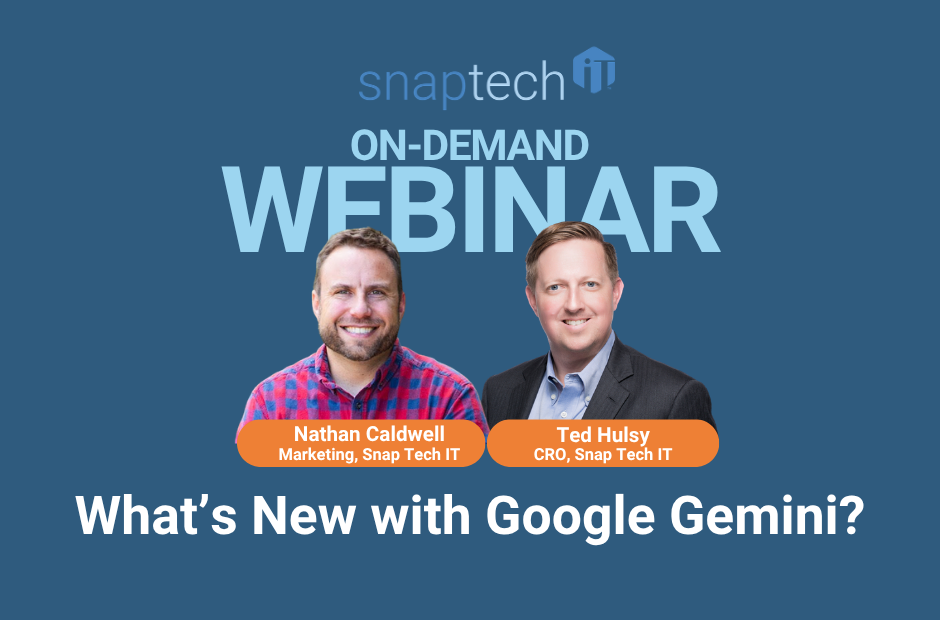
Our recent webinar demonstrated how in many of these features Gemini performed the task but missed the mark on catching all the details. In one calendar example, the event duration was initially incorrect. In another, a meeting was created, but the intended guest was not added. An AI-generated video also included a QR code that did not work.
Those examples reinforce a practical rule for business AI adoption: use AI to accelerate work, but do not treat the first output as final.
Employees should verify calendar invitations, summaries, research findings, generated content, and any customer-facing materials before using them.
Where are You on Your AI Journey?
Exploring the features and capabilities of AI tools is only half the battle. If you’re wanting to boost your business productivity you need to get beyond the exploring phase and take the proper steps to ensure successful adoption.
Are you ready to build and launch your AI strategy?
It takes proper evaluation to ensure that your environment, data, and people are ready to use it securely, practically, and with the right protections in place.
To determine how ready your business is, and the next steps you need to take, fill out our free AI Readiness Assessment. In 15 minutes, you’ll know where you stand and what you need to do to be AI-Ready.
Watch the full webinar here:

Nathan Caldwell
Marketing, Snap Tech IT